


How to Prepare Your iPhone for Trade-In at AG Store Prague - Pre-Sale Checklist
Complete checklist for preparing your iPhone before trade-in: iCloud sign-out, data backup, content erasure, and battery check. Step-by-step guide for AG Store Prague.
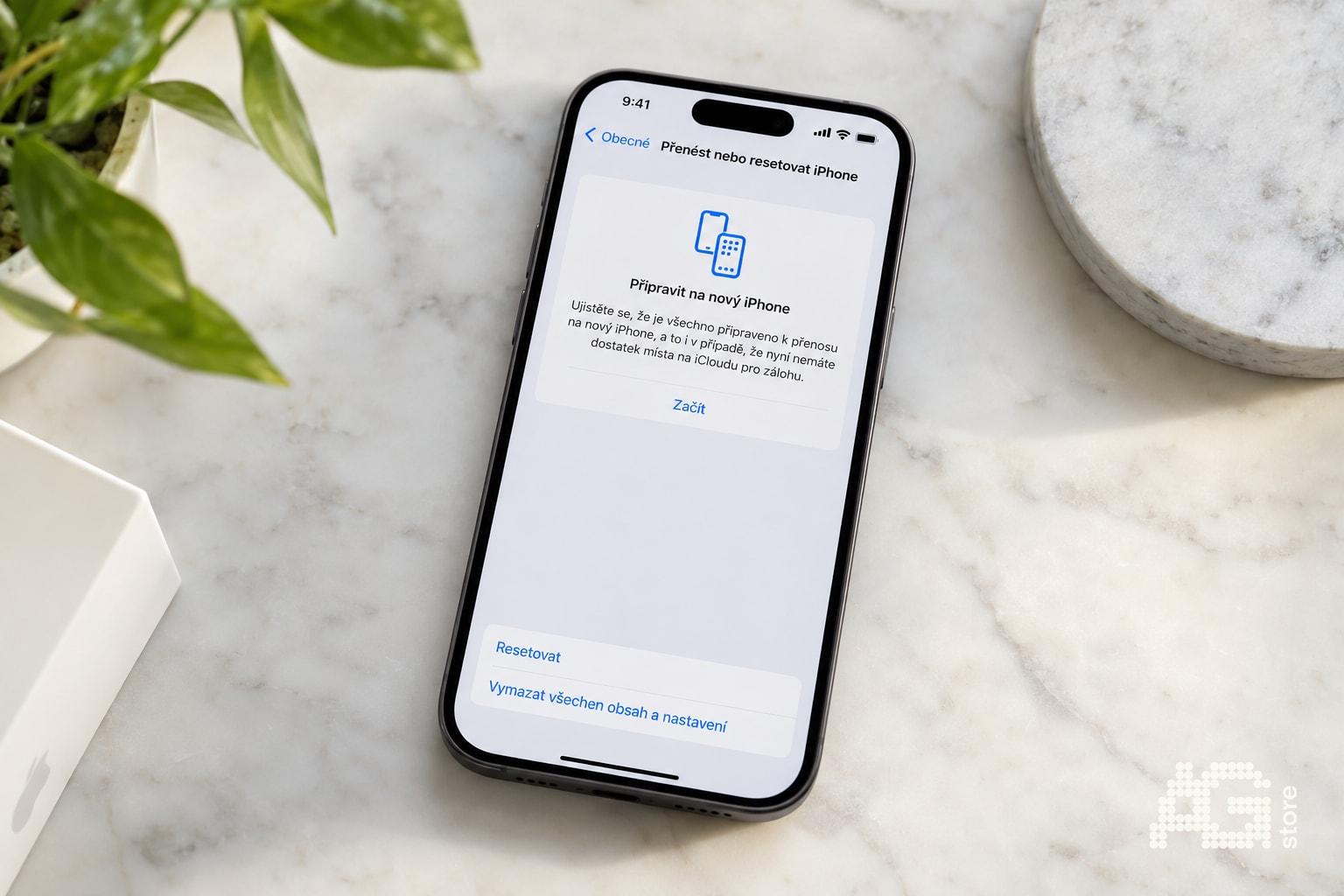
Proper iPhone preparation before trade-in is key to a quick process and fair price. At AG Store Prague (Mukařovského 2590, Prague 13, Luka metro, daily 10:00-19:00), we buy iPhones immediately for cash or via trade-in with bonus, but only if the device is properly prepared. The most common mistake? Active iCloud and Find My iPhone - Activation Lock prevents resale and unfortunately we cannot complete the purchase. Other frequent issues: missing data backup leading to loss of photos and contacts, or unerased content with personal data.
In this comprehensive guide, you'll find a precise checklist for preparing your iPhone before sale: data backup to iCloud or computer, proper iCloud sign-out, complete content erasure, battery health check, and physical condition verification. We explain each step in detail with specific iOS instructions so you arrive at our store prepared and can receive payment on the spot. Proper preparation often increases the offered price - an iPhone with battery capacity above 85%, no cracks, and original accessories is simply worth more. Let's see how to do it.
We offer both direct cash purchase and trade-in with bonus when buying a used iPhone, iPad, MacBook, or Apple Watch from our selection. 12-month warranty on all used devices. No appointment needed, just arrive with your prepared device.
Preparing Your iPhone for Trade-In - Complete Checklist
Before visiting AG Store, go through this checklist:
- ✓ Back up all data (photos, contacts, apps) - iCloud or computer
- ✓ Sign out of Apple ID and iCloud - crucial for removing Activation Lock
- ✓ Turn off Find My iPhone (automatic when signing out of iCloud on iOS 10.3+)
- ✓ Erase all content and settings - factory reset
- ✓ Unpair Apple Watch (if you use one)
- ✓ Remove SIM card before handing over
- ✓ Check battery health (Settings → Battery → Battery Health)
- ✓ Check physical condition (cracks, button and camera functionality)
- ✓ Prepare accessories and box (if you have them)
1. Data Backup - How Not to Lose Photos, Contacts, and Apps
Always perform a complete backup before erasing your iPhone. You have two main options:
| Backup Method | Procedure | Advantages / Notes |
|---|---|---|
| iCloud backup | Settings → [your name] → iCloud → iCloud Backup → "Back Up Now" | Requires Wi-Fi. Only 5 GB free, larger data requires iCloud+ storage upgrade |
| Computer backup | Connect iPhone to Mac/PC → Finder (macOS Catalina+) or iTunes → "Back Up Now" | Doesn't require iCloud storage, complete local backup |
Verify successful backup: In Settings → [your name] → iCloud → iCloud Backup, you'll see the time and date of the last backup. Check that it's current (a few minutes ago).
2. Sign Out of iCloud and Turn Off Find My iPhone
This is the most important step before trade-in. If iCloud remains active, the iPhone cannot be activated without your Apple ID - this is Activation Lock. At AG Store, we cannot purchase such a device because it's unusable for the next owner.
iCloud sign-out procedure:
- Open Settings → tap your name at the top of the screen.
- Scroll all the way down and select "Sign Out".
- Enter your Apple ID password and confirm.
- Select which data you want to keep on the iPhone - before erasing it won't matter, you can keep everything.
- Confirm sign-out again by tapping "Sign Out".
Find My iPhone: On iOS 10.3 and newer, it turns off automatically when signing out of iCloud. On older iOS versions, you must turn off Find My iPhone manually: Settings → iCloud → Find My iPhone → turn off the switch and enter your Apple ID password.
Learn more about Apple services and security in our used devices catalog, where we deliver all iPhones without Activation Lock and with a 12-month warranty.
3. Erase All Content and Settings
After successful backup and iCloud sign-out, you can safely perform a complete iPhone erasure:
- Open Settings → General → Transfer or Reset iPhone.
- Select "Erase All Content and Settings".
- Enter your device passcode and confirm.
- The iPhone will restart and go through the erasure process - usually takes 5-15 minutes depending on capacity and amount of data.
After completion: The iPhone will greet you with the initial setup assistant ("Hello" on screen). This signals that the device is completely erased, in factory condition, and ready for a new owner.
4. Check Battery Health and Physical Condition of iPhone
Before visiting AG Store, verify the current battery health - it directly affects the trade-in price. Open Settings → Battery → Battery Health & Charging and note the "Maximum Capacity" value.
Impact on trade-in price:
- Above 85% - we usually offer higher trade-in prices, battery is still in good condition.
- 80-85% - standard price, battery has normal wear.
- Below 80% - reduced price. Consider battery replacement before selling, it may increase the overall offer.
Physical condition check:
- Display and glass: Display or back glass cracks significantly reduce trade-in price. If you have damaged glass, mention it during evaluation.
- Buttons and ports: Test the functionality of volume buttons, Power, Home (on older models), Lightning/USB-C port.
- Cameras: Verify that both front and rear cameras work without issues.
- Accessories: Gather cable, adapter, original box - it's not a purchase requirement, but can positively affect the offer.
5. Sign Out of Other Services and Unpair Apple Watch
Some additional steps prevent future complications and protect your data:
- Apple Watch: If you have paired watches, you must unpair them before erasing the iPhone. Open the Watch app on iPhone → All Watches → "i" button next to the watch → "Unpair Apple Watch". The process automatically backs up watch data.
- iMessage and FaceTime: If you've already signed out of iCloud (step 2), these services are automatically deactivated. Otherwise, turn them off manually: Settings → Messages → iMessage off and Settings → FaceTime → FaceTime off.
- SIM card: Always remove the SIM card before handing over the iPhone at AG Store - it belongs to you and contains your phone number, not the phone.
- Apple Pay: Cards are automatically removed when signing out of iCloud. You can verify this in the Wallet app - it should be empty.
What Happens During Trade-In at AG Store Prague 13?
When you arrive with your prepared iPhone at our store at Mukařovského 2590, Prague 13 (Luka metro, line B), our team will perform quick on-the-spot diagnostics:
- Activation Lock check - we verify that the iPhone is not signed into iCloud.
- Functional test: display, touch control, buttons, cameras, microphone, speakers, ports.
- Battery health: we measure actual battery capacity.
- Physical condition: cracks, scratches, body deformation.
- IMEI check: we verify that the iPhone is not on the blocklist (stolen or with unpaid carrier obligation).
We will then offer you a trade-in price on the spot. If you agree, you'll receive the money immediately in cash or as a trade-in bonus toward purchasing another product from our catalog - iPhone, MacBook, iPad, or Apple Watch in conditions from like-new A+ to used grade C with a 12-month warranty on used devices.
Opening hours: daily 10:00-19:00. Phone +420 774 061 317 or email info@agstore.cz. Trade-in happens on the spot, no appointment needed. For a preliminary price estimate, call or fill out the form on the trade-in page.
Tips to Get a Better Trade-In Price for Your iPhone
- Complete accessories: Bring the original cable, adapter, and box - it increases the device's appeal.
- Flawless condition: Display and back glass without cracks, minimal scratches.
- High battery capacity: Above 85% is ideal, below 80% consider replacement.
- Proof of purchase: For newer, more expensive models (iPhone 13 Pro and higher), proof helps with valuation.
- Trade-in bonus: When purchasing a used device, we often offer a higher price than direct cash purchase.
- Everything functional: Verify that Face ID/Touch ID, all cameras, speakers, and microphones work perfectly.
Common Mistakes When Preparing iPhone for Trade-In
Avoid these most common issues that prevent immediate trade-in:
- Forgotten iCloud and Activation Lock - trade-in cannot proceed, you must sign out.
- Missing backup - you'll lose photos, contacts, and app data.
- Unerased content - personal data, login information, and photos remain on the phone.
- SIM card inside - it doesn't belong to the phone, remove it.
- Paired Apple Watch - unpair before erasing, otherwise you'll have to reset it manually.
- Unknown battery health - you may be surprised by a lower price due to worn battery.
Summary - iPhone Trade-In Preparation Step by Step
Proper preparation of your iPhone not only speeds up the entire trade-in process at AG Store Prague but also maximizes the offered price. Signing out of iCloud, backing up data, and erasing content are absolutely essential steps - without them, trade-in cannot proceed due to Activation Lock. Checking battery health and physical condition helps you get a realistic idea of the price even before visiting the store.
If you have any questions or are unsure about any preparation step, stop by our store at Mukařovského 2590, Prague 13 (Luka metro) - we'll be happy to advise you on the spot. We offer both direct cash purchase and trade-in with bonus when buying a used iPhone, iPad, MacBook, or Apple Watch with a 12-month warranty.
Have a question about trade-in or iPhone preparation? Write to us at agstore.cz/en/kontakty or call +420 774 061 317. We look forward to welcoming you in person at AG Store - Mukařovského 2590, Prague 13 (Luka metro), daily 10:00-19:00.