


How to Check iCloud Lock and Activation Lock Before Buying an iPhone - 2026 Checklist
Step-by-step guide on how to verify Activation Lock and iCloud lock on a used iPhone. Red flags, risks, and how AG Store tests every phone before selling.
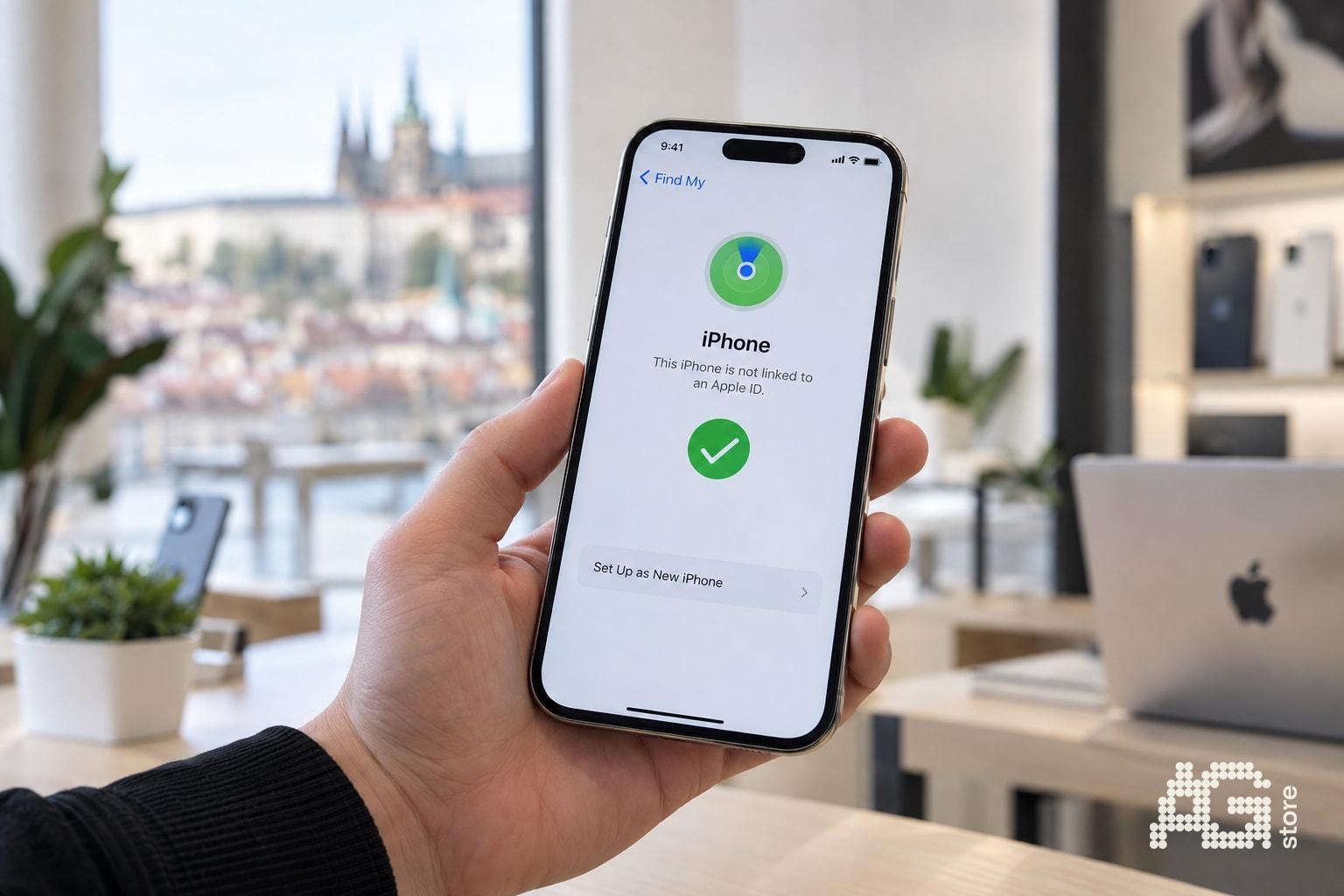
Checking iCloud lock and Activation Lock is the most important step before buying any second-hand or used iPhone. Activation Lock automatically protects your iPhone from reactivation by someone else if the phone is not properly signed out of the original owner's Apple ID. Buying a locked iPhone means the device cannot be activated, set up or used - effectively turning it into an unusable "brick" worth thousands of crowns. At AG Store Prague 13 (Mukařovského 2590, metro Luka) we manually test every used, as-new and unboxed iPhone, verify it is signed out of iCloud and provide a 12-month warranty. This checklist will show you how to verify Activation Lock status on-site with the seller and online, which red flags to watch for and how to avoid risks when buying in person. Our full catalogue of tested iPhones can be found at Catalog.
The following guide will walk you through the check step-by-step - from a quick test directly on the iPhone to verifying the IMEI in Apple's online database. You will know what to ask the seller, which situations are safe and when it's better to walk away from a purchase.
What is Activation Lock and Why is it Critical When Buying a Used iPhone
Activation Lock is a security layer of the Find My feature that activates when you turn on Find My iPhone. Once the feature is enabled, the iPhone requires the original owner's Apple ID and password for every activation - even after a complete system wipe or restore via iTunes/Finder.
If the seller forgets to sign the iPhone out of their Apple ID before selling, the new owner cannot activate or use the phone. The device remains locked and without the password is practically unusable. This is why checking iCloud lock is an absolute priority before handing over any money.
Activation Lock protects the owner from theft, but for a buyer, an unsigned-out iPhone is a fatal mistake. In practice, this means that even a perfectly-looking phone can be a non-functional "brick".
Quick On-Site iCloud Lock Check Checklist
- Ask the seller to turn on the iPhone and make sure the system loads to the initial setup screen or home screen (not to the Activation Lock screen with the "Locked to owner" field).
- Open Settings > [Name] > Find My and check that Find My iPhone is turned off. If it's on, ask the seller to turn it off - they will need to enter their Apple ID password.
- Go back to Settings > General > Transfer or Reset iPhone > Erase All Content and Settings. The system should allow erasing without entering someone else's Apple ID. If it prompts for another account's password, the iPhone is not signed out.
- After erasing, the "Hello" welcome screen should appear. Go through a few setup steps - if the system does not prompt you to enter the previous owner's Apple ID, Activation Lock is off and the iPhone is clean.
- Write down the IMEI (Settings > General > About, or on the back of the box / SIM tray). You will use the IMEI for online verification in Apple's database.
If the seller refuses to perform any of these steps or "can't remember the password right now", walk away immediately. A trustworthy seller - such as AG Store - will demonstrate the entire process without problems and personally test the phone before handing it over.
Online Activation Lock Verification by IMEI
Apple offers a public page checkcoverage.apple.com (English version: checkcoverage.apple.com/en/us/) where you can check warranty status and Activation Lock by serial number or IMEI. Steps:
- Enter the IMEI or serial number in the field on the page.
- Complete the captcha and confirm.
- The system will display whether "Activation Lock: Off" or "On".
A result of "Off" means the iPhone is not tied to an Apple ID and can be activated normally. "On" indicates that the device is still linked to the owner's account - in that case the phone is unusable without the password.
Online checking is useful if the seller provides the IMEI in advance (for example in an ad). However, it never replaces a physical check directly on the device - always request an in-person demonstration of turning on and erasing.
Red Flags and Risky Situations to Avoid
- Seller claims "The iPhone is off, but I'll send you the password after payment" - classic scam. Activation Lock requires the password immediately during sign-out, not afterwards.
- Phone turns on but immediately asks for someone else's Apple ID email - means Activation Lock is active. Don't buy.
- Seller only offers photos or video - without an in-person demonstration you have no assurance the images are current or that it's not a stolen unit.
- "iPhone is from a trade-in, I haven't had time to sign it out yet" - a legitimate seller (AG Store) always signs out devices before listing them for sale.
- Unusually low price compared to the market - often signals theft or technical problems. Verify the IMEI in international databases (checkmend.com, imei.info) for blacklist status.
Any doubt is reason enough to walk away. You'll save thousands and a lot of stress.
How AG Store Tests and Secures Every iPhone Against iCloud Lock
At AG Store Prague 13 (Mukařovského 2590, daily 10:00-19:00) every incoming iPhone during trade-in goes through a multi-step inspection:
- Visual and functional diagnostics - verification of display, buttons, cameras, Face ID / Touch ID.
- IMEI check in Apple's database and third-party sources for blacklist, warranty and Activation Lock status.
- Erasing and iCloud sign-out - iPhone must be clean and without Activation Lock before being listed for sale.
- Setting condition to as-new / used according to physical state (details at Device conditions) and confirmation of 12-month AG Store warranty.
You can personally inspect, turn on and test every device before purchase. You have the assurance that the phone is not stolen, not locked and fully functional. Thanks to warranty support and a 14-day return option, you buy risk-free - unlike anonymous marketplaces or private sellers.
If you're looking for a specific model, browse our current selection at Catalog or contact us at +420 774 061 317, info@agstore.cz.
What to Do if You Already Bought an iPhone with Activation Lock
If you have already paid for an iPhone and discover active Activation Lock at home, you have several options:
- Contact the seller and demand complete sign-out from their Apple ID. A legitimate seller should provide the password or perform sign-out remotely via iCloud.com > Find My iPhone > erase and remove from device list.
- If the seller does not respond or cooperate, file a complaint or withdraw from the contract (within 14 days for e-shops, immediately in case of fraud).
- Contact Apple Support with proof of purchase - Apple may help in cases of proven ownership and death of the owner / exceptional circumstances, but normally you cannot bypass Activation Lock without the password.
- Report to police if you suspect theft or fraud. Check the IMEI in lost device databases.
The best defense is prevention - checking before handing over money. Buying from a verified seller with a clear address and warranty (like AG Store) eliminates these risks completely.
Summary: Checklist at a Glance
| Step | What to Check | Green Flag | Red Flag |
|---|---|---|---|
| 1 | Power on and screen | Home screen or "Hello" | Activation Lock with "Locked to owner" field |
| 2 | Settings > Find My iPhone | Off | On or requires someone else's password |
| 3 | Erase and reset | Proceeds without password, "Hello" screen | System asks for seller's Apple ID |
| 4 | IMEI at checkcoverage.apple.com | Activation Lock: Off | Activation Lock: On |
| 5 | Price and seller trustworthiness | Realistic price, address, warranty | Suspiciously low, no in-person meeting |
By following this checklist you ensure the iPhone is clean, fully functional and without legal or technical obstacles. AG Store in Prague 13 near metro Luka will gladly demonstrate the entire process in person and answer any questions - come anytime during opening hours 10:00-19:00 or contact us in advance.