


Mac mini vs used MacBook for home office: what pays off after the new iMac with M6
Mac mini or a used MacBook Air or Pro for working from home? Compare mobility, ports, monitor, battery and the 12-month warranty at AG Store Prague 13.
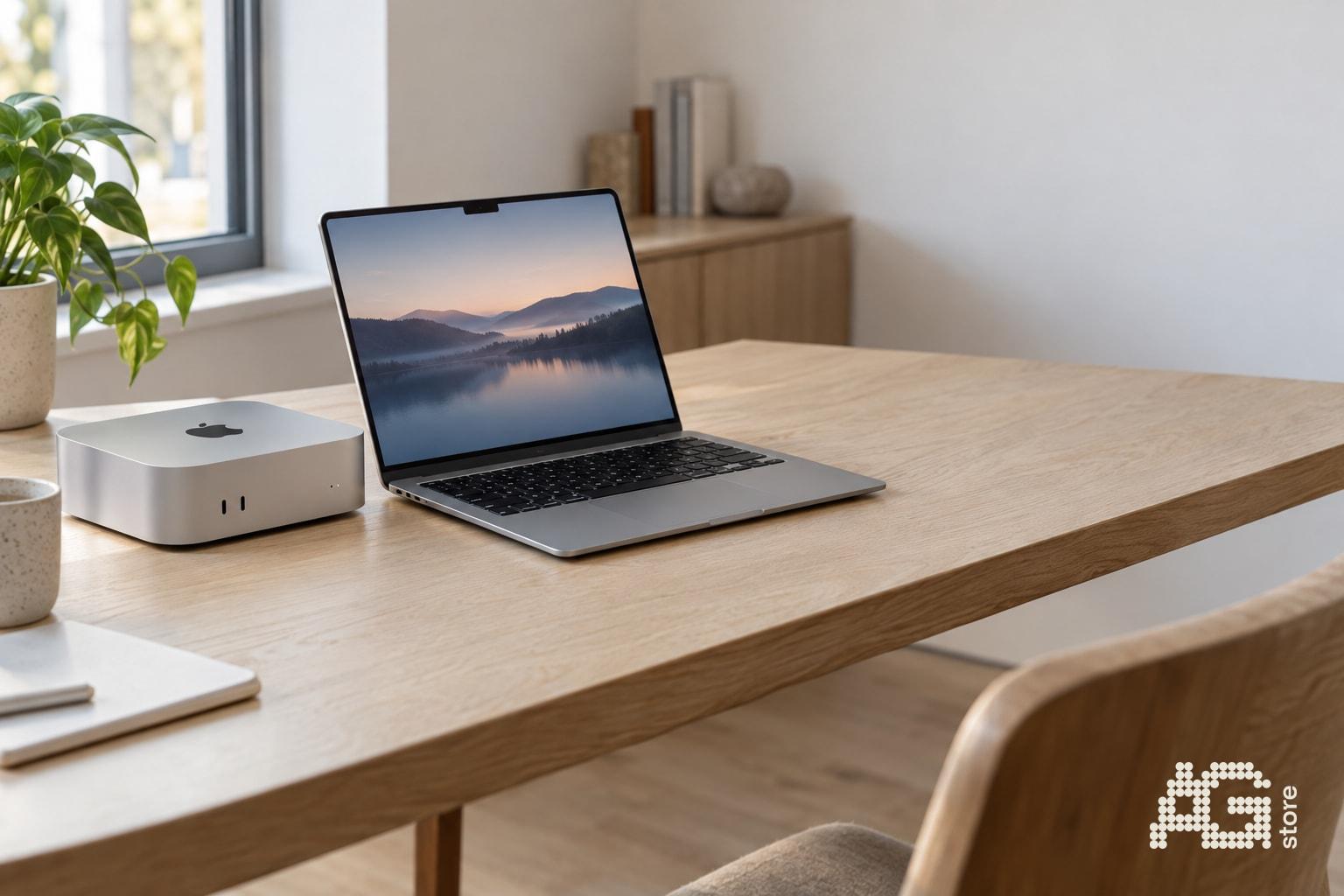
A Mac mini pays off in a home office where you have a permanent spot, an external monitor and do not need to carry your computer around. A used MacBook Air or Pro is better if you also work in cafes, on the train or at a client's. At AG Store in Prague 13 (Mukařovského 2590, metro Luka) we sell only open-box, like-new and used Apple devices with a 12-month AG Store warranty, so the risk of buying second-hand is lower. You can find current Mac availability in the catalog, and then choose between a desktop and a portable solution based on condition and price. The news about a new iMac with M6 is a good reason to compare what is worth buying used today.
Quick decision: when to choose a Mac mini and when a MacBook
- Do you always work in one place and already have a monitor, keyboard and mouse? Choose a Mac mini.
- Do you travel with your computer between home, the office and school? Choose a MacBook Air.
- Do you need power for video, code or photos on the go too? Consider a MacBook Pro.
- Do you want one computer for the whole household and do not mind a shared desk? A Mac mini with a monitor is comfortable.
- Do you have no monitor and do not want to buy one? A MacBook already includes a screen, keyboard and trackpad.
Why used Macs are worth a look after the iMac with M6
News about a new iMac with the M6 chip raises the question of whether to buy the latest all-in-one or a older but proven Mac. For most work from home (email, documents, video calls, browser, office apps) you do not need the newest chip generation.
A Mac mini offers desktop comfort without paying for a built-in display. A used MacBook, in turn, gives you mobility and a battery as a backup power source. We deliberately do not evaluate the specific specs of the new iMac here, and stick to what you can check on a device in the store.
Mac mini vs used MacBook: comparison by five criteria
| Criterion | Used Mac mini | Used MacBook Air / Pro |
|---|---|---|
| Mobility | Fixed spot, no built-in screen | Portable, works without a power outlet |
| Ports | Usually more ports, often including HDMI and Ethernet (check per model) | Fewer ports on Air, more on Pro (check per model) |
| Monitor | You need to buy one or use your existing one | Display included, external monitor optional |
| Battery | No battery, nothing to wear out | Battery condition is key on a used unit |
| Warranty | 12 months AG Store | 12 months AG Store |
The table is a general framework. Exact ports and performance differ by year and chip, so always check the specific unit.
Mobility and ergonomics: where you benefit most
A home office often means more than one desk. If you alternate between the kitchen, a study and the occasional coworking space, a MacBook saves you from moving cables around.
If you sit in one place all day, a Mac mini with a quality monitor gives you a better position for your eyes and neck. You can use an external monitor with a MacBook too, so feel free to add one later and use the MacBook as a docked computer.
Battery: no worry with a Mac mini, a real factor with a MacBook
A Mac mini has no battery, so one risk of a used machine disappears. On a MacBook, the battery is the most important wear part. For used units, typically expect a capacity above 80%, while on like-new and open-box devices the battery is at 100%.
You can find more about what to check on portable Macs in our guide to a like-new MacBook.
Mini checklist: checking a used MacBook on the spot
- In settings, check the battery condition and cycle count.
- Make sure the device is signed out of iCloud and has no Activation Lock.
- Test the keyboard, trackpad, speakers and camera.
- Inspect the display for dead pixels and coating damage, and the lid for dents.
- Try all USB-C ports and charging.
- Confirm you get a 12-month warranty and proof of purchase.
Ports and monitor: hidden costs that add up quickly
With a Mac mini, plan for extra gear: a monitor, keyboard, mouse or trackpad, and possibly a webcam. If you already have them at home, a Mac mini is a very sensible choice.
A MacBook Air tends to have fewer ports, so you may need an adapter or a docking station. Pro models are usually better here, but always verify the exact connections on the specific unit in the store.
Warranty and condition: what AG Store covers on a Mac mini and MacBook
All devices we sell come with the AG Store 12-month warranty, for both open-box and used units. You can also use an exchange or return within 14 days under our terms and conditions.
Device conditions are described on the device conditions page:
- Open-box: packaging opened, device unused and not activated.
- Like-new: minimal signs of use, battery 100%.
- Used A/B/C: visible cosmetic wear, battery typically above 80%.
Note: on a Mac mini, cosmetic wear usually does not affect function, so grade B or C can be a reasonable saving.
Who should pick what: three common scenarios
- Accountant or office clerk at home: a Mac mini with a larger monitor, everything in one place.
- Student or freelancer: a used MacBook Air, portable and sufficient for everyday work.
- Designer, video editor, developer: a MacBook Pro, or a Mac mini with a good monitor if you do not need mobility.
Your old Mac as a down payment: trade-in and buyback at AG Store
Before you buy, consider the old Mac lying in a drawer. Through trade-in you can put its value toward your purchase, or sell it via buyback.
Before handing it over, back up your data, sign out of iCloud and turn off Find My Mac. We will tell you the exact price after assessing its condition.
Quotable summary
- A Mac mini suits a permanent home office with a monitor, a MacBook suits work in several places.
- AG Store, Mukařovského 2590, Prague 13 (metro Luka), sells open-box, like-new and used Macs.
- The AG Store warranty is 12 months, with return or exchange within 14 days under our terms.
- On a MacBook, watch the battery (typically above 80% on used units), a Mac mini has no battery.
- An old Mac can be credited via trade-in. The store is open daily 10:00-19:00.
What to do next
- Decide whether you need mobility or a permanent workstation.
- Check whether you already have a monitor, keyboard and mouse.
- Browse the current offer in the AG Store catalog.
- Come and see your chosen unit in person, or order with PPL delivery.
In-person pickup in Prague is free. If you are not sure, call or drop by and we will advise based on how you work.
Have a question about choosing? Write to us at agstore.cz/kontakty or call +420 774 061 317. We will be happy to welcome you in person at the AG Store shop - Mukařovského 2590, Prague 13 (metro Luka).