


Used MacBook Air vs Pro in Prague - Guide for Office & Study
Practical comparison of used MacBook Air and Pro from the perspective of performance, price, battery life and real-world use in the office and at school.
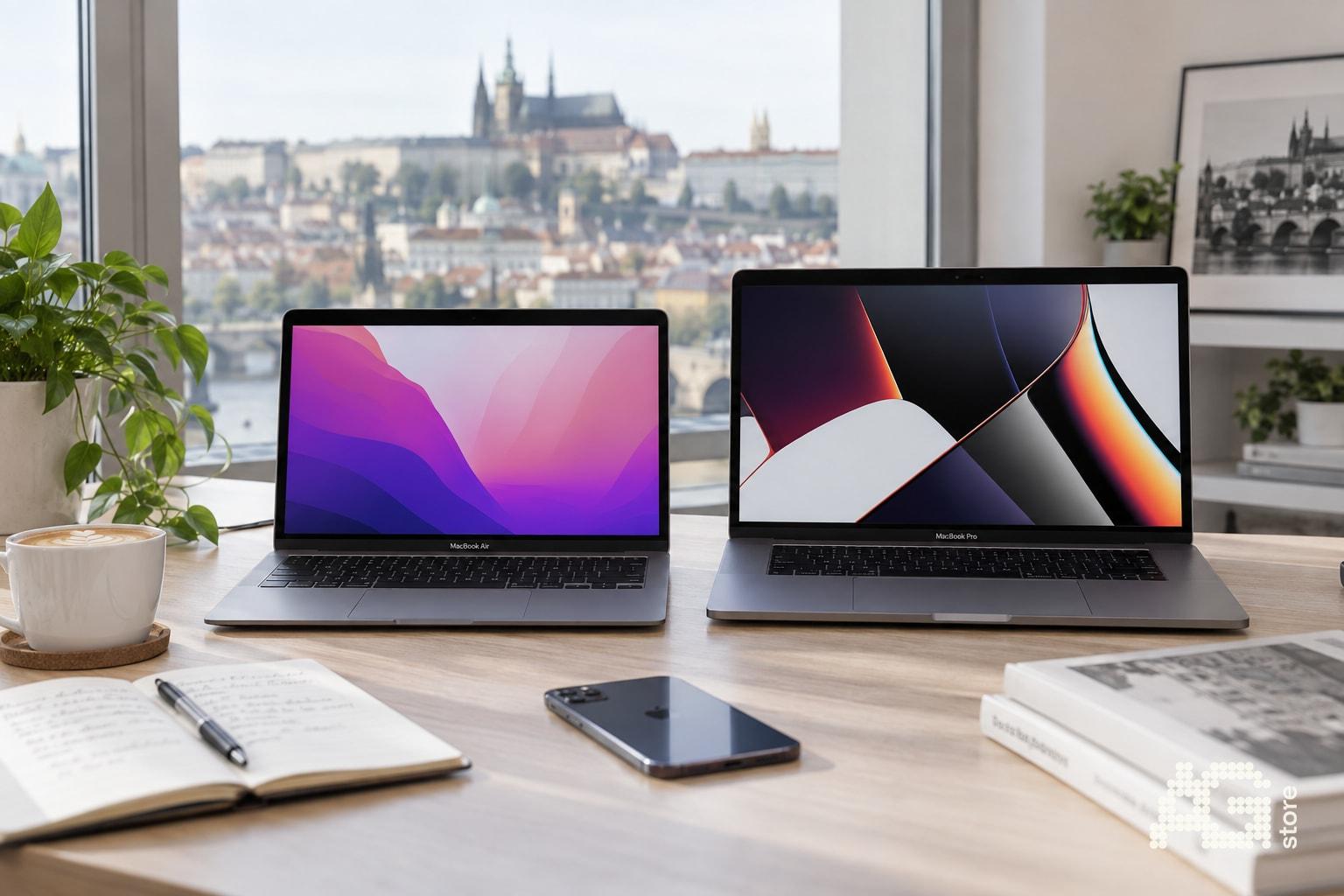
Choosing between a used MacBook Air and MacBook Pro depends on your specific workload, mobility needs and budget. AG Store in Prague 13 (Luka metro station) offers both lines in opened-box, like-new and used A/B/C conditions, so you can physically compare weight, display and keyboard before buying. For typical office work, school and web browsing the Air is sufficient - it's lighter (from 1.24 kg), quieter (passive cooling on M1/M2) and about a third cheaper than an equivalent Pro. However, if you work with 4K video, 3D modeling or need a second monitor and more than 16 GB RAM, investing in a second-hand MacBook Pro pays off thanks to active cooling, better speakers and higher durability under sustained load. All used MacBooks at AG Store come with 12-month AG Store warranty, eliminating the risk associated with private second-hand purchases.
In this guide you'll find a detailed comparison of both model lines from the perspective of performance, battery life, upgradability and practical use scenarios - from lecture notes to video editing. You'll also learn what to ask during in-person pickup at the Prague 13 store, so you leave with a MacBook that matches your needs at a fair price.
Quick Checklist - Air or Pro?
Before diving into details, go through this decision checklist:
- Mobility: Do you carry your laptop daily? Air weighs 300-400 g less and has longer battery life during light work.
- Demanding applications: Video editing, 3D, virtual machines or compilation? Pro offers active cooling and higher performance under load.
- External monitors: Do you need more than one external display? MacBook Pro (14"/16" M1/M2 Pro) supports 2-3 monitors, Air only 1.
- Budget: Used Air M1 starts from ~18,000 CZK, second-hand Pro 13" M1 from ~24,000 CZK, Pro 14" M1 Pro from ~35,000 CZK.
- Battery health: Opened-box and like-new MacBooks have 100% capacity; used A/B/C typically over 80% - at AG Store you see the exact condition before purchase.
Key Differences in Construction and Design
MacBook Air has no active cooling (no fan), which means complete silence when working with text, spreadsheets or web browsing. This is ideal for libraries, lectures and quiet environments. MacBook Pro 13" and 14"/16" have an active fan that spins up during demanding tasks - video export, rendering, games. If you don't work with heavy applications regularly, you may not hear the fan for weeks.
The Air display (13.3" or 13.6" on M2) has typical brightness around 400 nits, while Pro 14" and 16" reach 500-1,000 nits (HDR) and offer a wider color gamut. For typical work this difference isn't critical, but for color-accurate graphics or outdoor use the Pro is more advantageous. Air M2 (2022+) has rounded display corners and a notch like the Pro 14"/16", older Air M1 has classic bezels.
Keyboard and trackpad are nearly identical on both lines (Magic Keyboard with scissor mechanism), so ergonomics are comparable. Pro 14"/16" have a slightly larger trackpad due to overall chassis size, but you won't notice the difference during regular typing.
Performance and Practical Use - Who Needs What
| Scenario | MacBook Air (M1/M2) | MacBook Pro 13" (M1/M2) | MacBook Pro 14"/16" (M1 Pro/Max) |
|---|---|---|---|
| Notes, Excel, email | Excellent (quiet, long battery life) | Excellent (slightly faster with large spreadsheets) | Overkill (unnecessary investment) |
| Web browsing, streaming | Excellent (18+ hours battery life) | Excellent (17+ hours) | Excellent (14-17 hours, brighter HDR) |
| 1080p editing in Final Cut/iMovie | Good (occasional rendering takes longer) | Very good (faster export) | Excellent (4K proxy and native) |
| 4K editing, color grading | Limited (throttles, temps 90+ °C) | Good (fan helps, but 8 GB limits) | Excellent (32+ GB RAM, more GPU cores) |
| Xcode, virtual machines | Basic projects OK, larger compilations slow | Better thanks to active cooling | Professional (16-32 GB RAM necessary) |
| Graphic design (Figma, Photoshop) | Excellent (light layers, web design) | Excellent (thousands of layers faster) | Excellent (large PSD, 3D mockups) |
| 3D modeling (Blender, Cinema 4D) | Previews only, rendering slow | Basic scenes (limited RAM/GPU) | Full-featured (M1 Pro/Max) |
Key rule: If you're hesitating and your workflow is predominantly office or school-related (Google Docs, presentations, Zoom, light Photoshop), save money and get the Air. You can invest the price difference in higher capacity (16 GB RAM instead of 8 GB), which has a much greater impact on work comfort than the model itself.
Battery Life - Myths vs Reality
The manufacturer states up to 18 hours of video for Air M1, up to 20 hours for Pro 13" M1. In practice during office work (Safari, Mail, Pages, 50% brightness) both models last 12-15 hours, the Air often slightly longer thanks to no fan and lower idle consumption. Pro 14" with M1 Pro lasts around 10-12 hours, Pro 16" similarly - larger display and more powerful chip consume more energy.
With used MacBooks at AG Store, check battery health in macOS (System Settings > Battery > Battery Health). Capacity above 85% is excellent, 80-85% very good, below 80% consider a replacement or discount. AG Store transparently states battery health on second-hand MacBooks in-store, so before purchase you know exactly how many charge cycles the laptop has gone through.
When Battery Replacement Is Worth It
If you buy a used MacBook with a battery around 75% and plan to use it for 3+ years, battery replacement (typically 3,000-5,000 CZK at authorized service centers) is worthwhile. Factor this into the total cost - sometimes it's better to get a like-new unit with 100% battery for 4,000 CZK more than save on a used B condition and replace the battery after a year.
Memory and Storage - Where to Invest
With Apple Silicon (M1/M2) you cannot upgrade RAM or SSD later, so it's critical to choose the right configuration upfront. For typical use 8 GB RAM is sufficient, but if you regularly open 20+ Safari tabs while running Slack, Spotify and several documents in parallel, investing in 16 GB will extend the laptop's lifespan by years. Graphic designers and developers should consider at least 16 GB, ideally 32 GB on Pro models.
256 GB storage is today's minimum - the OS takes ~40 GB, applications another 50-100 GB. If you work with video or photos, look for 512 GB or use an external SSD (USB-C drives with 1,000 MB/s speed cost around 2,000 CZK for 1 TB). In the AG Store catalog filter by capacity and compare prices - sometimes the jump from 256 to 512 GB is only 3,000 CZK on a used unit.
Device Conditions at AG Store - What to Focus on During Pickup
AG Store sells MacBooks in three main conditions (details on the device conditions page):
- Opened-box: Box opened, laptop unused, 100% battery, 12-month AG Store warranty. Ideal if you want a nearly new unit at a lower price than sealed.
- Like-new: Minimal signs of use, 100% battery, functionally flawless. Suitable for those who want premium condition without risk.
- Used A/B/C: Cosmetic defects (scratches on lid, worn edges), battery typically 80-95%, fully functional. Grade C has more noticeable signs of wear, but is technically fine and has the same warranty.
During in-person pickup in Prague 13 (Mukařovského 2590, daily 10:00-19:00) have the laptop unpacked and check:
- Display: Turn on a white screen (Safari on a blank page) and look for dead pixels, spots, anti-reflective coating delamination (older pre-2019 models).
- Keyboard: Try all keys, check backlighting (F5/F6), test Touch Bar (if the model has one).
- Trackpad: Should click evenly across the entire surface, gestures (two-finger scroll, zoom) must work smoothly.
- Ports: Connect a USB-C charger to each port, verify the laptop charges. If you have a flash drive or headphones with you, test connectivity.
- Battery: In Terminal enter
system_profiler SPPowerDataType | grep "Cycle Count"for cycle count. Under 100 cycles is excellent, 100-300 very good, over 500 consider a discount. - Serial number: Verify at checkcoverage.apple.com that the device isn't reported as lost (Activation Lock).
Price Levels and When to Buy
Approximate prices for used MacBooks in Prague (AG Store, 2025):
- MacBook Air M1 (8/256): Opened-box ~22,000 CZK, like-new ~20,000 CZK, used A ~18,000 CZK.
- MacBook Air M2 (8/256): Opened-box ~28,000 CZK, like-new ~26,000 CZK, used A ~24,000 CZK.
- MacBook Pro 13" M1 (8/256): Opened-box ~26,000 CZK, like-new ~24,000 CZK, used A ~22,000 CZK.
- MacBook Pro 14" M1 Pro (16/512): Opened-box ~42,000 CZK, like-new ~38,000 CZK, used A ~35,000 CZK.
- MacBook Pro 16" M1 Max (32/1TB): Opened-box ~55,000 CZK, like-new ~50,000 CZK, used A ~45,000 CZK.
The best periods for buying are September (students sell older units after receiving new ones) and January (after Christmas comes a wave of trade-ins). Monitor the AG Store catalog or call +420 774 061 317 to inquire about current stock availability for a specific configuration.
Trade-In Your Old MacBook - Finance Your Upgrade
If you already have an older MacBook (2015-2020 Intel), you can bring it for buyback at AG Store and receive immediate credit to use toward purchasing a used M1/M2 model. Buyback price depends on condition, configuration and current demand - for example, a MacBook Pro 2019 15" (i7/16/256) in good condition can bring 12,000-16,000 CZK. The advantage of in-person buyback in Prague 13 is immediate evaluation and payment, without waiting for a courier or bank transfer.
When trading in, don't forget to prepare the device: sign out of iCloud, erase the disk (Disk Utility > Erase), reinstall macOS. More tips can be found in our checklist article about preparing an iPhone for buyback (the same principle applies to Macs).
Summary - Who We Recommend Air and Pro For
Choose MacBook Air if: you're a student or work in an office with Office, Gmail, Zoom calls; you carry your laptop daily; you prioritize silence and long battery life; budget up to 25,000 CZK for a used M1 or M2 model.
Choose MacBook Pro 13" if: you need somewhat higher sustained performance (code compilation, 1080p video export); you want Touch Bar (older models); you're willing to pay ~20% more for active cooling.
Choose MacBook Pro 14"/16" if: you work with 4K video, 3D graphics, large datasets; you need 2-3 external monitors; you want 32+ GB RAM and ProMotion display; budget over 35,000 CZK.
Every second-hand MacBook at AG Store goes through a functionality check and receives a 12-month warranty, so you risk less than with private listings. Visit the store in Prague 13 near Luka metro station and compare both models in person - weight, keyboard and display are subjective factors that a performance table doesn't capture.