


iPad for School 2026: Refurbished or Used? Tips for Parents and Students in Prague
Practical guide to choosing an iPad for school: which model, how much storage, device condition and where to test your iPad in person in Prague.
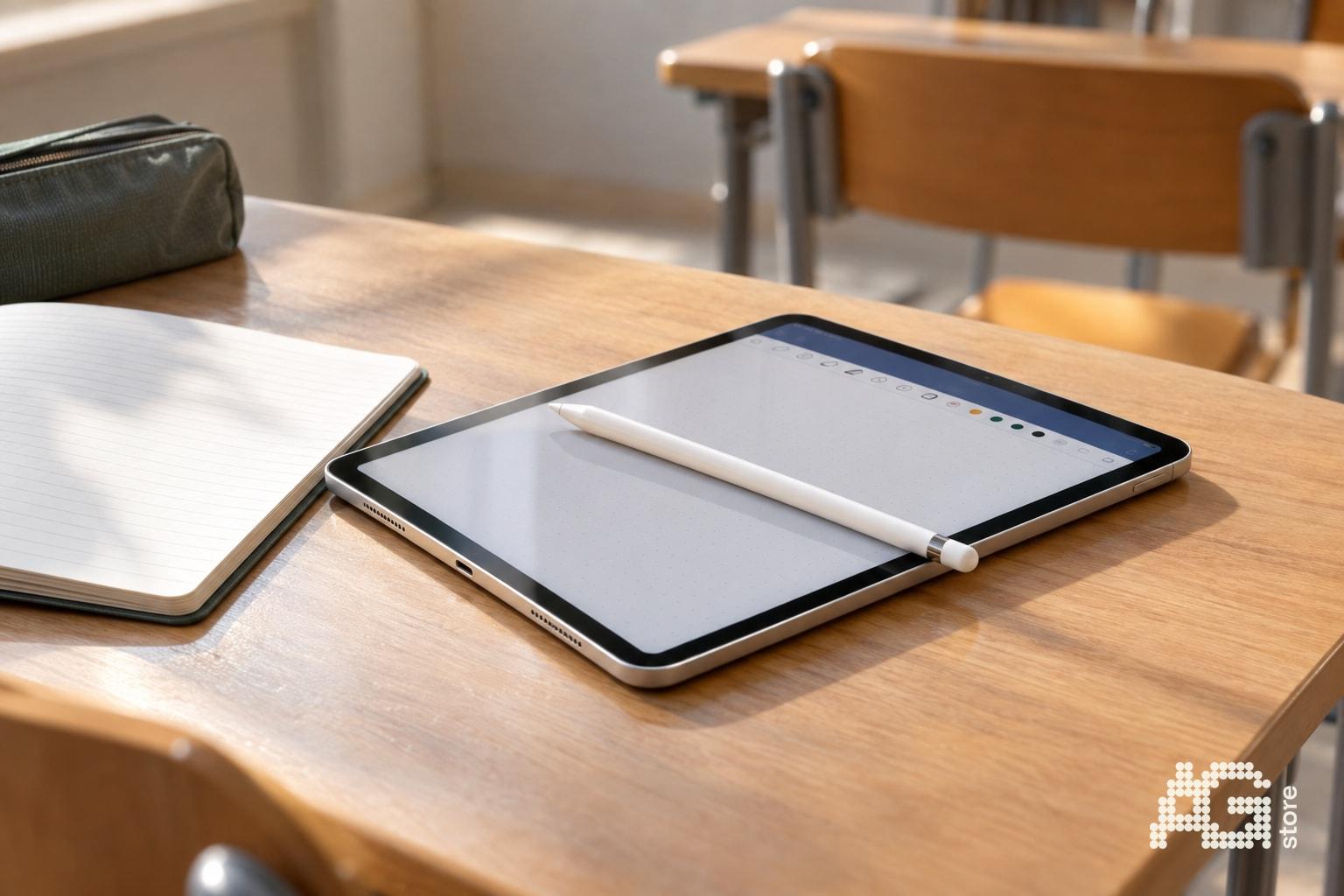
The iPad has become standard equipment for elementary and secondary school students in Prague and the surrounding area. Parents and students are looking for a reliable tablet for taking notes, homework, online learning and leisure activities - and often don't want to pay full price for a new device. AG Store in Prague 13 (Mukařovského 2590, Luka metro station) offers refurbished and used iPads with a 12-month warranty that combine modern performance with a reasonable price. In this article you'll find a practical overview of models suitable for school, storage recommendations and a comparison of device conditions - including a checklist of what to test in person at the store before buying. You can find the entire iPad catalog here, where you can compare the current selection by condition, capacity and price.
Quick Checklist: How to Choose an iPad for School
- Model: iPad 10 (10.9") or iPad Air (M1/M2) - sufficient performance for school and creative work.
- Capacity: Minimum 64 GB for basic use; 128 GB recommended if you're studying design, video or photography.
- Device condition: Refurbished = unused, 100% battery, most suitable for younger children; used condition A/B = great value, battery >80%, suitable for secondary schools.
- Accessories: Apple Pencil 1st gen. or compatible stylus (notes), keyboard case (typing longer texts).
- Personal test: Visit the AG Store (Mukařovského 2590, Prague 13) and ask to turn on the iPad - check battery, display condition and system smoothness.
- Warranty: 12-month AG Store warranty on all refurbished and used models, exchange/claims within 14 days according to terms and conditions.
Which iPad Model to Choose for Elementary or Secondary School?
Schools in Prague increasingly require a tablet for interactive textbooks, Google Classroom, Microsoft Teams or Moodle. For typical school needs, the current iPad 10 (10.9" display, A14 Bionic chip) is sufficient, handling multitasking, video streaming and all educational apps. Its advantages include support for the 1st generation Apple Pencil and USB-C port for universal charging.
If the student is planning to study graphics, video, music or CAD at secondary school or university, it's worth investing in an iPad Air with M1 or M2 chip. The Air offers significantly longer lifespan, faster drawing in Procreate or Note and Stage Manager support for working with multiple apps simultaneously. Both models run the latest iPadOS and will receive updates for several more years.
In the AG Store catalog you'll find both series in all device conditions - from unopened boxes (not activated, 100% battery) to used versions in condition A/B with cosmetic marks that don't affect functionality for school work.
How Much Storage Does a Student Need: 64 GB vs 128 GB vs 256 GB?
The basic rule is: 64 GB is enough for taking notes, reading PDFs and browsing the web, provided the student doesn't save videos or large multimedia projects. For school cloud storage (Google Drive, iCloud) the basic version is sufficient.
However, we recommend 128 GB, which covers typical secondary or university scenarios:
- Dozens of documents, presentations and workbooks in offline mode.
- Apps for languages, programming (Swift Playgrounds, Pythonista) or graphics (GoodNotes, Notability, Procreate).
- Photos and videos from field trips, school projects and excursions.
256 GB or higher variants are only appreciated when studying multimedia, video editing in LumaFusion or architectural CAD applications. Parents pay significantly more for higher capacity - in the second-hand segment often thousands more - so we recommend 128 GB as the optimal price/performance ratio.
Refurbished or Used iPad: How to Decide?
AG Store distinguishes three main device conditions that correspond to different budgets and preferences:
| Condition | Description | Battery | Suitable for |
|---|---|---|---|
| Unopened | Opened box, device was not activated or used, physically like new | 100% | Gift for younger student, parents preferring new appearance |
| Refurbished | Minimal signs of use, display without scratches, body almost spotless | 100% | Elementary school, secondary school, parents emphasizing condition |
| Used A/B | Visible minor scuffs on aluminum frame, display clean or with minor marks, fully functional | Typically >80% | Secondary/university students who prefer lower price and a working tool over aesthetics |
For younger students (6-12 years) we recommend a refurbished iPad - the child will feel they have a new tablet, and parents have assurance of long battery life. For secondary or university students, a used iPad in condition A or B is a practical choice: you save thousands of crowns, get the same performance and the 12-month AG Store warranty covers used units as well.
What to Test at the AG Store Before Buying?
A personal visit to Mukařovského 2590, Prague 13 (Luka metro station, line B) allows you to perform the following on-site checks:
- Turn on the iPad and open Settings > Battery > Battery Health - verify actual capacity (100% for refurbished, typically 85-95% for used).
- Examine the display in daylight and with a white background - reveal any micro-scratches or color spots.
- Test touch response - draw several strokes with your finger or Apple Pencil, check smoothness.
- Check USB-C/Lightning port and speakers - plug in a cable, play a short video to test sound.
- Ask about device origin - AG Store buys iPads directly from customers in Prague, each unit undergoes diagnostics and is unlocked (no iCloud Lock).
Store hours are daily 10:00-19:00, personal pickup is free. You can reserve a specific model by phone (+420 774 061 317) or email (info@agstore.cz) to save time during your visit.
Accessories for Your School iPad: What to Buy and Why?
The tablet alone isn't enough - students will appreciate several accessories that significantly improve productivity:
- Apple Pencil 1st generation (for iPad 10) or Apple Pencil 2nd generation (for iPad Air M1/M2) - taking notes in class, drawing diagrams, signing documents.
- Keyboard case or Bluetooth keyboard - writing longer essays, compositions or theses is much faster on physical keys.
- Screen protector or film - the display is the most vulnerable part of the tablet, quality tempered glass will save your iPad from a fall in your backpack.
- USB-C hub (for iPad 10/Air) - expansion for USB flash drive, HDMI for presentations on school projectors, SD reader for importing photos.
You'll find most accessories directly in the AG Store selection, or you can bring your own - the sales staff will help verify compatibility.
When Is a Used iPad Worth It Instead of New, and When Should You Choose Refurbished?
A used iPad in condition A or B will save you 20-40% compared to a refurbished model of the same year. For students who use the tablet primarily for reading, writing, Google Meet and occasional entertainment, this is the best choice: you get full performance, current iPadOS and warranty service for half the price of a new unit.
We recommend refurbished iPads to parents:
- Buying the first tablet for a child younger than 10 - it psychologically feels "like new."
- If you plan to keep the iPad for 4-5 years and want maximum battery life from day one.
- As a gift - the aesthetics of a refurbished device look better when unwrapping.
Both options have the same 12-month AG Store warranty, which includes claims for hardware defects and the option to exchange the device within 14 days according to terms and conditions. In case of a system or battery problem, the service center is in Prague 13 at the same address as the store - you don't have to send the device by mail.
Practical Tips for Parents: How to Set Up an iPad for a Student
After purchase, spend half an hour on basic setup that will make studying easier for your child and protect privacy:
- Create an Apple ID for the child (if younger than 13, use Family Sharing) - ensure control over purchases and app sharing.
- Install school apps - Google Classroom, Microsoft Teams, Moodle, Bakaláři or EduPage according to class requirements.
- Set up Screen Time - limit social media during lessons and in the evening, maintain access to educational apps.
- Enable automatic iCloud backup - notes, photos and documents won't be lost if the tablet is damaged.
- Create folders - School, Free Time, Creative - the child will navigate more easily among dozens of icons.
If you need help transferring data from an old tablet or setting up parental controls, AG Store staff will advise you free of charge during personal pickup.
Where to Test and Buy an iPad for School with Warranty in Prague?
AG Store at Mukařovského 2590, Prague 13 (Luka metro station, line B) is a specialized store for used and refurbished Apple devices. We offer:
- Personal viewing and testing of every iPad - without pressure for immediate purchase.
- 12-month AG Store warranty on all units including used conditions A/B/C.
- Trade-in and purchase of old tablets - bring your old iPad or Android tablet and reduce the price of a new one (more about trade-in, more about buyback).
- PPL delivery throughout the Czech Republic - if you can't come to Prague, order online and the tablet arrives insured within two days.
- Daily opening hours 10:00-19:00 - convenient for parents and students after school or on weekends.
Follow the current stock of iPad Air, iPad 10 and iPad Pro in all capacities and conditions in the online catalog. Models change weekly based on buyback, so we recommend reserving by phone (+420 774 061 317) or email (info@agstore.cz) if you're looking for a specific configuration.