


MagSafe and Qi2 on a used iPhone: which models have it and how to test charging
Which iPhones have MagSafe, how to check the magnets and wireless charging at pickup, and why charger quality matters for Qi2.
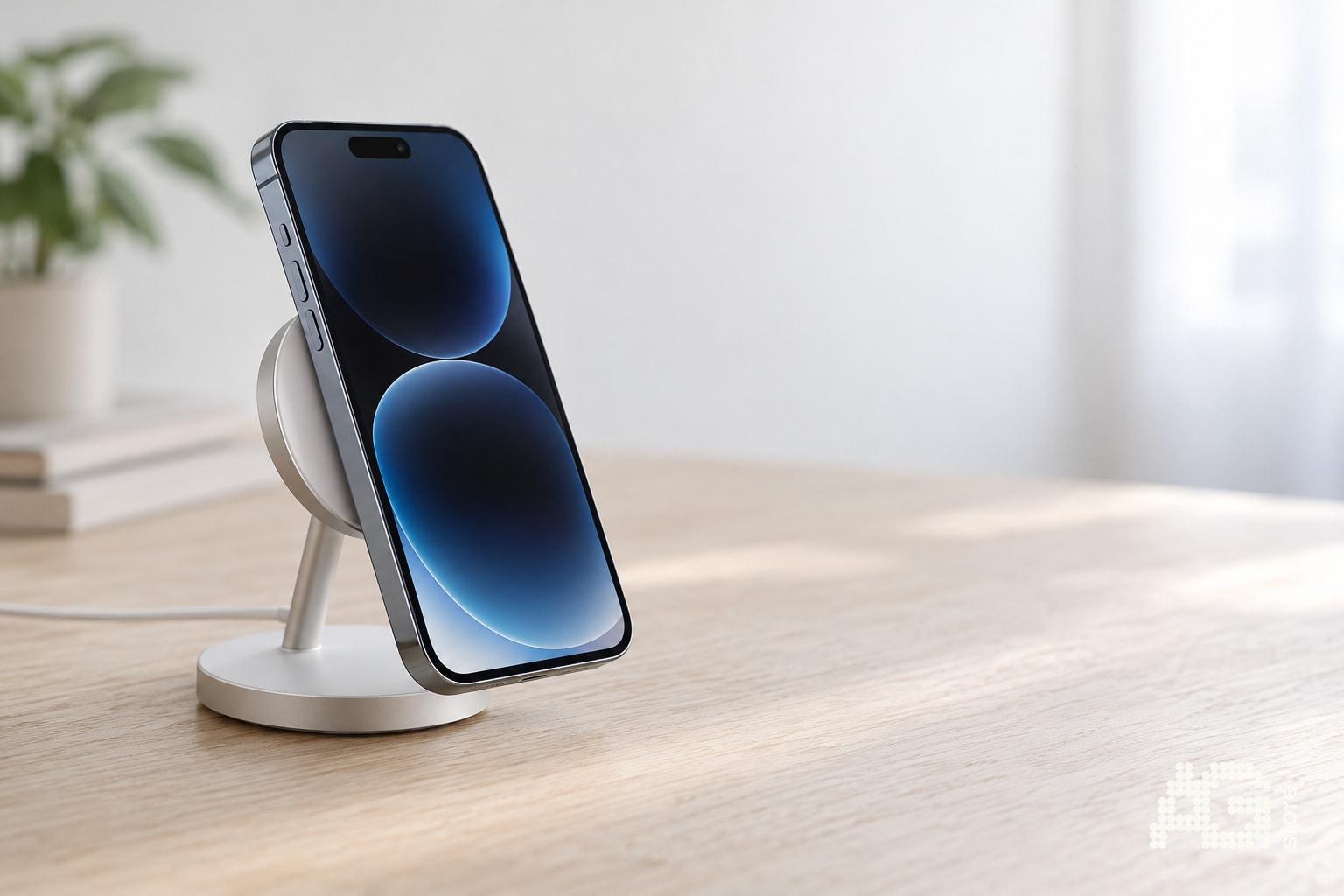
MagSafe is built into iPhones from the iPhone 12 series onward: iPhone 12, 13, 14, 15, 16 and 17 (except the iPhone 16e, which has no magnets). Older models and the iPhone SE have no magnetic attachment. With a used iPhone, check three things: that the model has MagSafe, that the magnets hold the charger and case firmly without play, and that wireless charging starts and the phone does not overheat. At AG Store in Prague 13 (Luka metro station, daily 10:00-19:00) you can try this on a charger at pickup. All devices come with a 12-month warranty, detailed device conditions are listed for every phone, and you can browse our stock in the catalog.
Quick summary: 5 things to check on MagSafe
- Model: iPhone 12 or newer (not the 16e series), otherwise do not expect magnetic charging.
- Magnets: the iPhone snaps onto the charger by itself and does not slide when gently shaken.
- Charging start: the charging indicator appears on the display within a few seconds.
- Temperature: after a few minutes the back of the phone is warm, not uncomfortably hot.
- Battery and condition: 100 % for like-new and open-box units, typically above 80 % for used A/B/C.
Which iPhones have MagSafe and Qi2
MagSafe means a ring of magnets in the back of the phone that holds a charger or case in the correct position. Qi2 is an open wireless charging standard with a similar magnetic attachment, so third-party Qi2 chargers also work with MagSafe iPhones.
| Model | MagSafe magnets | Note |
|---|---|---|
| iPhone 11 and older, iPhone SE | No | Standard Qi only, no magnetic attachment |
| iPhone 12 (all versions) | Yes | First-generation MagSafe, check magnet strength |
| iPhone 13 and 14 | Yes | A sensible base for MagSafe accessories |
| iPhone 15 and 16 | Yes | Qi2 support, speed depends on the charger and model |
| iPhone 16e | No | Wireless charging without magnets |
| iPhone 17 | Yes | Newer Qi2 variants, check the charger specifications |
Always verify maximum charging power in Apple's specifications for the given model. One series can include several charging speeds, and not every charger can make use of them.
How to test the magnets of a used iPhone at pickup
Magnets are best judged by hand. All you need is a MagSafe or Qi2 charger and a case with magnets.
- Place the iPhone on the charger and watch whether it centers itself.
- Shake the phone gently and check that the charger holds.
- Try to slide the phone sideways a little. You should feel resistance, not none.
- Attach a MagSafe case or wallet and check that it does not sag.
- Inspect the back glass around the ring for cracks or signs of opening.
Weak magnets or play can mean a worn back, a low-quality case or an earlier repair. It is better to ask about the device condition and choose a different unit.
Wireless charging test in the store: what to watch
At pickup, have the phone placed on the charger and watch it for five minutes. It is quick and settles most doubts before you pay.
- Charging start: the indicator appears right away, not only after repeated repositioning.
- Stability: charging does not drop out even when you move the phone slightly.
- Heating: mild warmth is normal, strong heat is a warning sign.
- Battery percentage: watch how the value behaves after a few minutes.
Mini routine: 3 minutes before you pay
- Check the battery health in Settings and confirm it matches the stated device condition.
- Place the iPhone on a magnetic charger.
- Wait 2-3 minutes, put your palm on the back and check the temperature.
For a more general check of the display, buttons and Find My, see our guide buying a used iPhone in Prague.
Why charger quality matters
A magnetic charger is more than a piece of plastic. A poorly made or unproven one leads to worse centering, needless heating and slower charging. On a phone whose battery is above 80 %, it makes sense to protect it.
An interesting example is the news about the Anker MagGo Pro 2: a charger with a fan for Qi2.2. Heat is the main problem of wireless charging, and manufacturers are starting to tackle it with active cooling. You do not have to buy the most expensive model, but choose chargers with Qi2 certification and sensible cooling.
Which Qi2 charger to choose for a used iPhone
| Situation | Recommendation |
|---|---|
| Bedside table, slow charging | Basic certified Qi2 charger, longer cable |
| Office or desk | Stand with magnets so you can keep an eye on the display |
| Travel | Magnetic power bank with Qi2 and overheating protection |
| Quick top-ups during the day | Charger with cooling and a suitable adapter |
Five criteria when choosing:
- Qi2 or Made for MagSafe certification.
- Strong, even magnets with good centering.
- Clearly stated power and required adapter.
- Overheating protection, ideally cooling too for fast models.
- A brand where you can verify the specifications and make a warranty claim.
Cases and MagSafe accessories: what to watch out for
Even the best charger may not work if the case is thick or has no magnets. Look for cases labeled as MagSafe or Qi2 compatible.
- A case without magnets reduces grip and charging efficiency.
- Metal plates or cards between the phone and the charger slow charging and cause heating.
- A thin silicone case with magnets is usually the most reliable.
Device condition and MagSafe: what to expect by category
Open-box iPhones are unused, not activated, with 100 % battery. Like-new units show minimal signs of use and also have 100 % battery. Used grades A, B and C have cosmetic wear and a battery typically above 80 %. We check the magnetic attachment on them just like every other function. The differences are explained on the device conditions page.
The 12-month warranty applies to all our devices, and the terms are on the warranty page. Returns or exchanges are handled within 14 days according to the terms and conditions.
Citable summary
- MagSafe is found on iPhone 12 and newer, except the iPhone 16e. Older models and the iPhone SE do not have it.
- On a used iPhone, test the magnets, charging start, temperature and battery, ideally at in-person pickup.
- AG Store in Prague 13 (Mukařovského 2590, Luka metro station, daily 10:00-19:00) offers open-box, like-new and used iPhones with a 12-month warranty.
- When choosing a charger, look for Qi2 certification, cooling and magnet quality.
Looking for an iPhone with MagSafe? Browse the iPhone catalog and come try your chosen unit on a charger in the store.
Questions about choosing? Write to us at agstore.cz/kontakty or call +420 774 061 317. We will be glad to welcome you in person at AG Store - Mukařovského 2590, Prague 13 (Luka metro station).